 Virtual tours for remarkable stays
StayPano · Insights & guides
Misaligned 360 photo seams: causes and fixes
Why do 360 panorama photos get misaligned seams? 4 common causes — shaky hands, moving objects, shooting too fast, wrong ratio — and how to reshoot right.
Misaligned 360 photo seams: causes and fixes
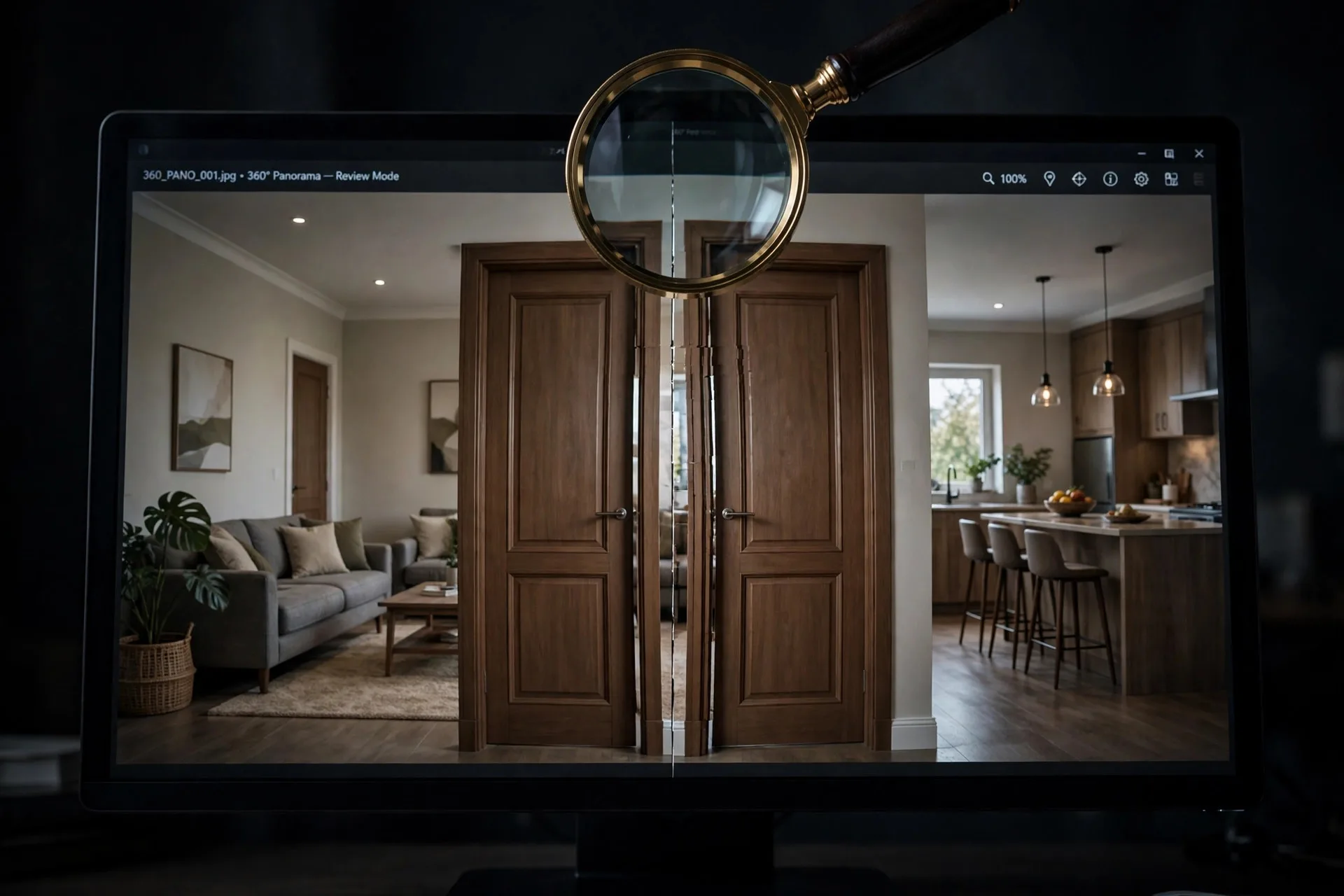
You open your 360 photo and see a fracture line running down it — a door split in two, misaligned; a baseboard line broken. That's a misaligned seam: where the image's left and right edges meet but don't match. It's the most common flaw in self-shot 360 photos, and luckily most causes are fixable by reshooting properly.
What is a seam?
Recall how 360 photos work: a flat image wraps into a sphere, left and right edges meeting at one line — the seam. When shooting by stitching many small photos (phones) or multiple lenses (360 cameras), software must "glue" the pieces at this line. Bad gluing means misalignment.
4 common causes
1. Unsteady hands (most common). Shaky hands, uneven rotation around the camera axis — pieces captured from slightly different positions can't stitch cleanly. Fix: use a tripod, rotate slowly and evenly.
2. Objects moving through the stitch zone. People walking by, spinning ceiling fans, swaying curtains — an object in different positions across shots can't stitch. Fix: clear people from frame, switch off fans, close windows (see the pre-tour preparation checklist).
3. Shooting too fast. Rushing makes the app skip angles or underlap shots — missing data means the software guesses, and guesses misalign. Fix: slow down, cover every angle fully.
4. Wrong 2:1 ratio. As explained in why 360 photos must be 2:1 — the wrong ratio means edges can't geometrically meet.
How to reshoot correctly
- Put the camera on a tripod at the space's center.
- Clear all people and moving objects from frame.
- Shoot slowly, steadily, following the app/camera guide.
- Check immediately on screen: zoom into the seam zone (usually behind where you started shooting) for misalignment.
- Shoot 2–3 frames, keep the best.
When to discard a photo
If 2–3 reshoots still leave heavy seam breaks (whole sections torn), don't force it — a flawed photo drags down the entire tour. Consider hiring a dedicated-camera shoot, especially for key spaces (main lobby, model rooms).
Do your photos have seam issues? Send them via Zalo — I'll look and tell you whether reshooting can fix it or a fresh shoot is needed. Free.
💬 Send flawed photos for advice
Read next: How to shoot 360 photos with your phone for tours · Why must 360 photos be exactly 2:1?