 Virtual tours for remarkable stays
StayPano · Insights & guides
Checklist before ordering a 360 tour (photos + info)
What to prepare before ordering a 360 tour? A technical checklist for your 360 photo set, the info to provide, 4 common photo mistakes and fixes.
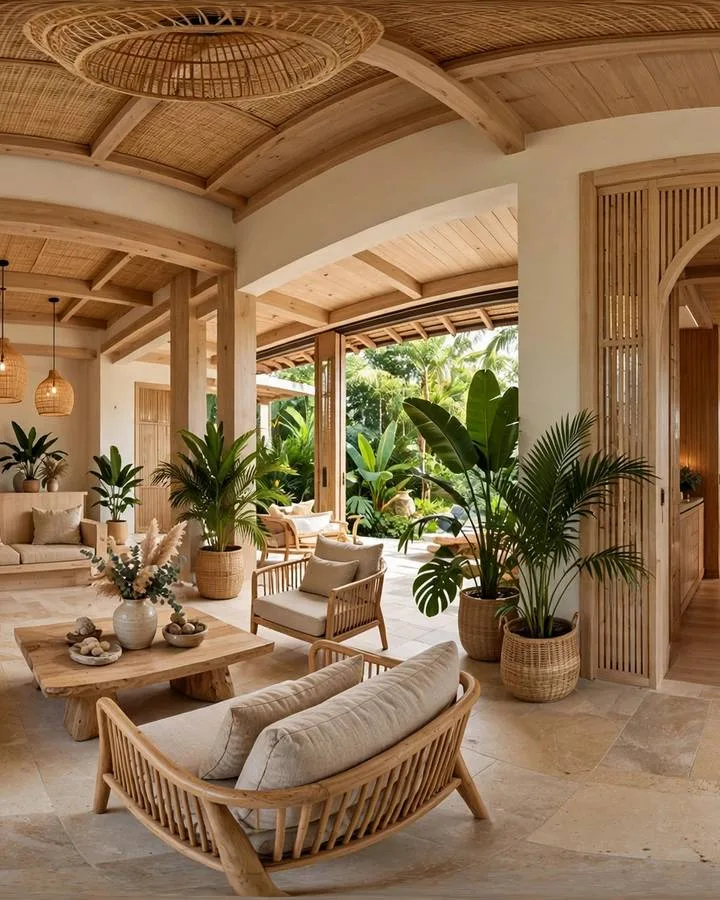
Whether a 360 tour turns out great or poor is 70% decided in preparation — before the tour builder touches anything. A solid photo set plus complete information makes a smooth build; flawed photos and missing info mean back-and-forth delays and possible re-shoot costs (as covered in how much a 360 tour costs).
This is the full checklist: what to prepare photo-wise, what information to provide, and the most common mistakes. Follow it and your ordering process gets twice as fast.
Photo checklist (technical)
360 photos for tour building need to meet 7 criteria. No need to memorize — bookmark this and check against it at shoot time:
1. 2:1 aspect ratio. Standard panoramas are twice as wide as tall (e.g. 8000×4000 pixels). This ratio lets software "wrap" the photo into a 360° sphere without distortion. Dedicated 360 cameras output this by default; on phones, use full panorama mode.
2. High enough resolution. Sharper photos, clearer tours — especially when guests zoom into details. Minimum 4000 pixels wide; ideal is 8000 (8K). Below that, tours look blurry, particularly on large screens.
3. Seamless panorama stitching. 360 photos are stitched from multiple shots — seams must align cleanly, with no doubling, cut-off objects or odd light bands. The most common rushed-shoot flaw: looks fine at a glance, but misaligned seams show like tears in the space once built into a tour.
4. Enough light. Shoot when the space is well lit — daytime with curtains open, all lights on. Underexposed photos turn noisy and muddy in tours, and no post-processing fully rescues them. Re-shooting in good light beats salvaging dark photos.
5. Tidy the space before shooting. A 360 camera sees everything around it — trash bins, dangling cables, unfolded towels, a previous guest's luggage. Things you can "frame out" in still photos can't be avoided in 360. Clean like you're welcoming a VIP, then shoot.
6. Clear spatial order. Name files or note which photo is which space, in real walking order: lobby → room 101 → room 102 → balcony → pool. Builders use this order to link scenes into a sensible flow. Unlabeled photos force guesswork — wrong guesses mean a backwards tour flow.
7. Note which scenes are missing. After shooting, check against your space list: any angle missing? Is every connecting view covered? One missing link (say, no hallway shot between lobby and rooms) breaks the flow — guests hit a dead end mid-walk.
Information checklist (content)
Photos done, now the words. The more complete this information, the faster the tour ships with fewer revision rounds:
1. Exact names for each room category / area. Exactly as you want them shown: "Deluxe sea-view room", "Garden BBQ area"... Don't let the builder invent names — they don't know what you call your spaces.
2. Confirmed amenity lists. What's in each space: bed size, bathtub or not, wifi reaching the pool. Critical: list only what's certainly true. Wrong info in a tour is worse than none — guests who don't find a promised amenity lose trust instantly.
3. Contact and booking points to embed. Zalo number, booking page link, Google Maps, fanpage — list every destination you want guests to reach from inside the tour. These usually sit at the end of the flow, so prepare them upfront for one-shot placement.
4. Logo and brand colors (for custom interface). High-quality logo file, brand color codes. Optional — tours run fine on the default interface — but they give the tour your property's own signature.
4 common photo mistakes that ruin tours
The 4 flaws I see most when checking client photo sets, with a fix for each:
1. Underexposed photos. Rooms shot at dusk without enough lights, balconies shot against the sun. Fix: re-shoot in daytime, curtains open, every light on. No preset or filter genuinely rescues dark photos.
2. Misaligned stitching seams. Look closely: warped seam lines, doubled or cut-off objects at some angle. Fix: re-shoot the scene, hold the camera perfectly steady (tripod if available), avoid shooting while people walk through stitch zones.
3. Shooting a messy space. Unmade beds, leftover food on tables, uncleaned bathrooms. Only fix: clean like guests are coming, then re-shoot. Don't hope for "Photoshop it out" — erasing objects from 360 photos without traces is nearly impossible.
4. Missing connecting scenes that break the flow. Lobby shots exist, room shots exist, but no hallway linking them — guests clicking a navigation point "teleport" from lobby straight into a room, which feels wrong. Fix: review your space list before wrapping the shoot; make sure every walk segment has a photo.
No 360 photos yet? Start here
Straight talk as always: StayPano builds tours from your existing 360 photos; shooting is not included. But no photos doesn't mean dead end — two paths:
Path 1: shoot with your phone. Modern phones all have panorama mode. Follow the technical checklist above: good light, tidy space, steady hands, 2:1 ratio. Not dedicated-camera quality, but enough for a small homestay's first tour.
Path 2: hire a 360 photographer. Find one experienced in panoramas (not a regular photographer), and hand them this article's checklist as the "brief" so both sides align from the start. When receiving photos, check the 7 technical criteria before paying.
Either way, one principle: get shoot-ready photos before ordering the build. Don't reverse it — ordering first then scrambling for photos means delays and re-shoot money when the set falls short.
How to send photos to StayPano
Simple: send the photo set via Zalo (original files, don't compress) or a Google Drive link. I'll quality-check every photo against the checklist above — free — then report back:
- Which photos pass and are usable now.
- Which fail, what's wrong, whether re-shooting is needed.
- Which scenes are missing for a seamless tour flow.
Only when the set is solid do we lock scope and quote — per the pricing logic in how much a 360 tour costs. If it's not there yet, I'll say plainly what's missing; no pushing you to build from a flawed set.
💬 Send photos for a free quality check
Read next: How much does a 360 tour cost? How to read a quote · The 360 tour production process, from photos to handover (coming soon)