 Virtual tours for remarkable stays
StayPano · Insights & guides
360 tours for wedding halls and convention centers
How should wedding halls and convention centers use 360 tours? Clients preview capacity, banquet setups and reception spaces remotely.
360 tours for wedding halls and convention centers
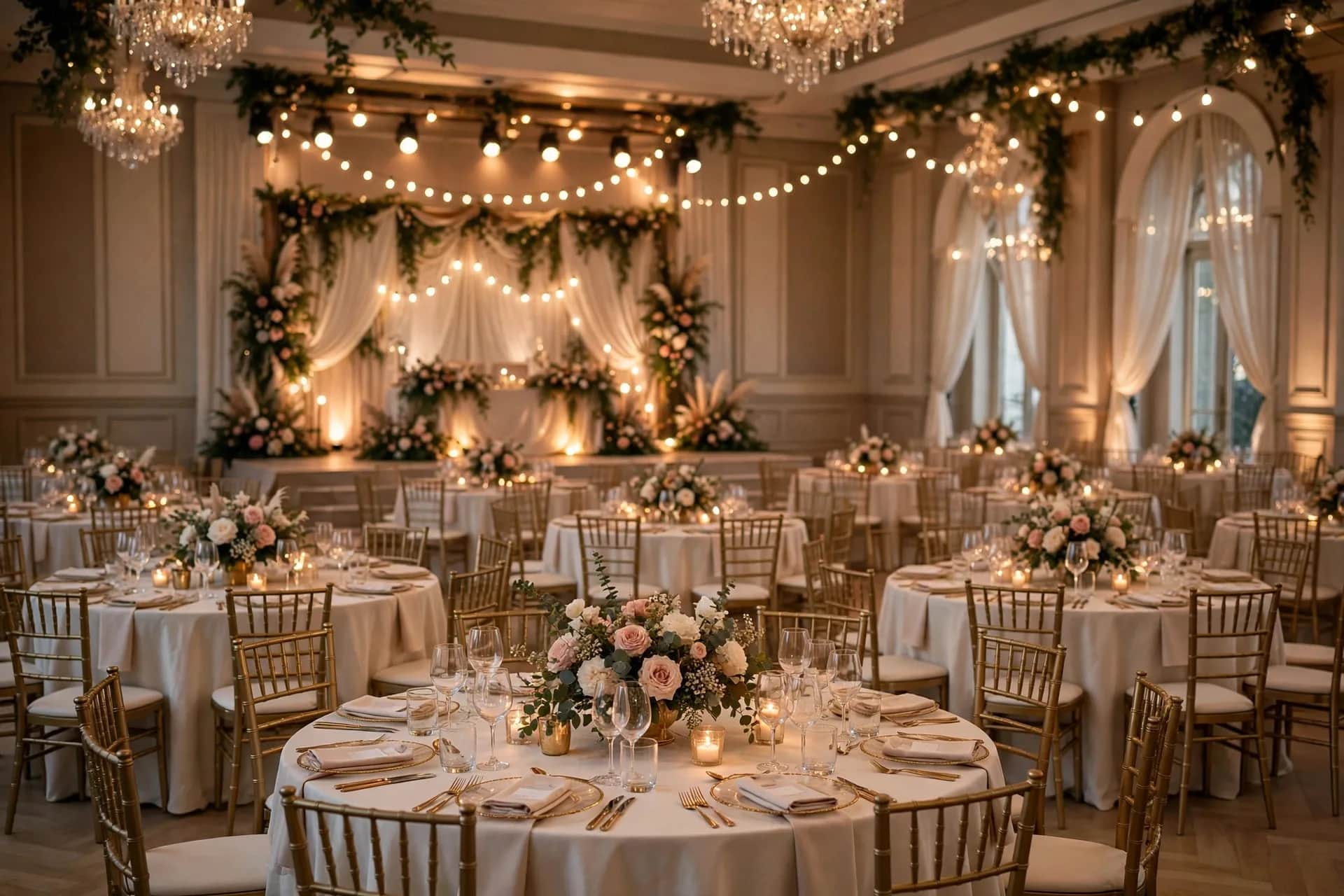
Booking a wedding or conference venue is emotional and rational at once: clients need to "feel beautiful" and "fit everyone." A 360 tour lets couples and event organizers "visit" the hall remotely — especially useful when they're comparing 3–4 venues without time to visit each.
What do event clients need to see?
- "How many guests fit?" — capacity numbers must come with real images: what a 500-guest hall looks like fully set.
- "What's the banquet setup like?" — table arrangements, stage, backdrop. Clients picture their own event in the space.
- "Where's the reception area?" — welcome lobby, photo check-in zone, guest parking.
- "Is there a bridal / VIP room?" — waiting rooms, changing rooms.
Must-have angles
1. Main hall (model setup). Shot with full banquet setup — the most important scene. Attach: maximum capacity, setup styles (round/long tables), reference hall rental.
2. Stage. Attach: stage size, included vs outsourced sound and lighting.
3. Reception / check-in lobby. Attach: reception capacity, decoration suggestions.
4. Bridal / VIP room. Attach: in-room amenities.
5. Outdoor area (if any). Garden for outdoor ceremonies, photo zones. Attach: rain backup plan.
6. Parking. Attach: parking capacity — 500 guests means parking is a real issue.
Shoot when the hall looks its best
Shoot during setup for a real event (with the hosts' permission) or a full model setup — an empty bare hall shows neither capacity nor atmosphere. If shooting a real event, pick the moment before guests arrive in numbers to avoid strangers in frame.
For convention centers: shoot the meeting room in theater-style and classroom-style setups — the two most common layouts, one scene each when possible.
Info points to attach
- Hall rental by time slot: morning/noon/evening, weekday/weekend — open right at the main hall scene.
- Sample menus: menu link or photos at the catering area.
- Book-a-visit button: after clients like what they see, a "schedule an in-person visit" button is the natural conversion — the tour qualifies, the visit closes.
What's your hall's capacity? Send a few photos of the hall fully set via Zalo — I'll advise scene counts and the best shooting time, free.
💬 Get advice on 360 tours for event halls
Read next: 360 tours for restaurants: must-have shooting angles · Where to place contact CTAs inside a 360 tour?