 Virtual tours for remarkable stays
StayPano · Insights & guides
What is a 360 tour? When homestays and hotels should get one
A 360 tour is a virtual walkthrough built from 360° panorama photos. Learn what it includes, when homestay and hotel owners should invest, and when to wait.
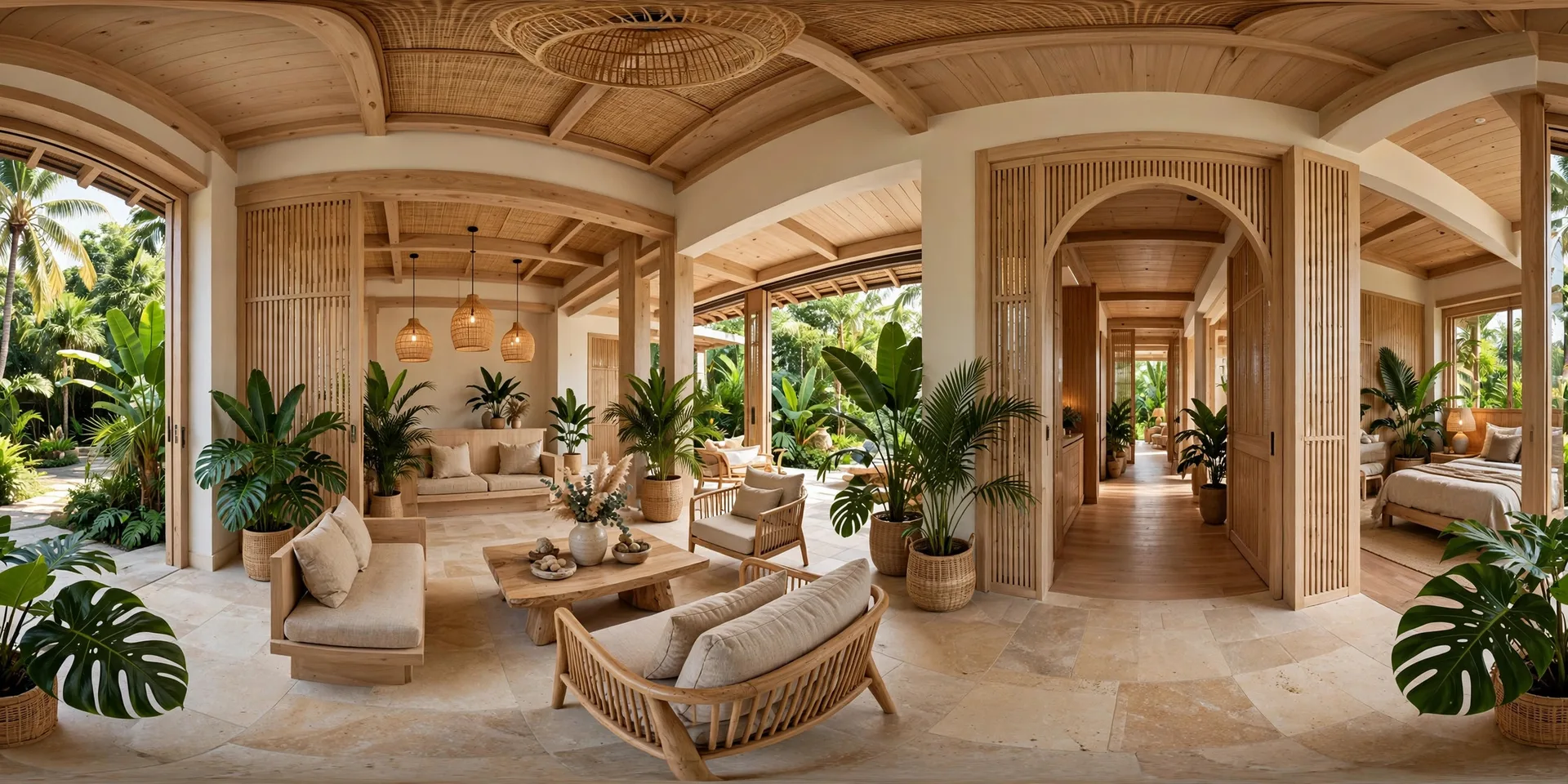
Guests keep messaging: "Does the room look like the photos?", "What's the view from the balcony?", "How is Deluxe different from Standard?" If you answer these every day, maybe it's time to let guests see for themselves instead of you describing everything. That's what a 360 tour is for.
What is a 360 tour?
A 360 virtual tour is a virtual walkthrough stitched together from 360° panorama photos. Each photo captures the entire space around the shooting point — above, below, front, back. The photos are linked into one flow: from the lobby into the bedroom, from the bedroom to the balcony, from the balcony down to the pool.
The biggest difference is who's in control: not you, but the guest. Guests rotate the view themselves, tap to move into another space, and decide how long to linger on each corner. All through a single link — it opens on phones and computers alike, no app install needed.
Here's what the guest experience looks like: open the link, see the lobby; drag gently to look around the lobby; spot a glowing dot at the bedroom door, tap it, and "step" into the bedroom; rotate to see the bed and wardrobe, then tap out to the balcony to enjoy the view. No long intro, no waiting for video segments to load — guests move at their own pace.
How is it different from photos and video?
- Static photos show one angle chosen by the owner. Beautiful, but guests only see exactly what you want them to see.
- Video follows a pre-shot script: wherever the camera goes, the guest watches. Guests can pause a video, but they can only see the angles that were filmed.
- A 360 tour has no "director". Guests choose their own viewpoints and move around themselves. It's the closest feeling to stepping into the space without actually going there.
What does a 360 tour include?
A complete tour usually has 4 components:
1. Panorama scenes. Each scene is one space: lobby, bedroom, balcony, pool... The number of scenes depends on the property — a villa may have 4–6 scenes, while a hotel with many room categories may need dozens.
2. Navigation hotspots. Tappable points placed at doors and real walkways in the photo. Tap one, and the guest "steps" into the next space. This is what turns a set of separate photos into one seamless journey.
3. Info hotspots. Short descriptions, detail photos or videos attached to the relevant viewpoint. For example: standing in the room corner shows bed and amenity info; standing on the balcony shows the view description.
4. Link, embed code and contact points. The tour is shared via link or embedded directly into the website. The final scene usually has a contact button — Zalo, phone number or booking page — so guests can ask right while viewing.
You can try a sample 4-space tour (lobby – bedroom – balcony – pool) here: villa 360 tour demo. Note this is an illustrative demo, not a real client project — but it's enough to feel how a tour works.
When should you get a 360 tour?
1. Your guests book from afar. Guests from other provinces, international guests, guests booking for a group — they can't visit beforehand. A 360 tour lets them verify the space themselves, cutting down repetitive questions like "does the room look like the photos". For a whole-villa rental, one tour from the lobby through each bedroom to the pool can replace an entire in-person viewing.
2. The property has many room categories or zones to tell apart. Hotels with Standard/Deluxe/Suite, homestays with private and shared zones, villas with many bedrooms — a 360 tour lets guests compare by themselves instead of you explaining each category over messages. Each room category is its own scene group; guests tap the one they care about.
3. You want to embed it on your website or share it on your social page. Instead of a static photo album, a "View 360 tour" button at the top of the room-category page lets guests look around before messaging about prices. Guests who have studied the space usually ask sharper questions — price, availability, policies — instead of things the photos already answered.
When is it not needed yet?
Straight talk so you don't waste money:
1. When you only have 1–2 photos and no real need to showcase the space. A 360 tour needs a full set of the main spaces. If you don't have it yet, invest in photography first — building a tour from 2 disconnected photos doesn't create a journey.
2. When the budget isn't ready. You can start with single 360 photos posted on your fanpage, then stitch them into a tour once the set is complete. No need to do everything at once.
FAQ
Do I need to install an app to view a 360 tour?
- The tour opens directly in the browser via a link, on both phones and computers.
Can I view the tour on my phone?
Yes. Viewers drag with their finger to rotate, tap points to switch scenes — gestures as familiar as using a map.
What is the tour shot with?
A dedicated 360 camera, or a phone with a tool that captures a full 360° panorama. Ordinary phone photos cannot replace 360° panoramas. Basic technical requirements: 2:1 aspect ratio, high enough resolution, seamless panorama stitching. Before building, the photo set is quality-checked — any scene that doesn't pass is flagged for reshooting. See the detailed checklist in preparing before ordering a 360 tour.
Have a set of 360 photos and want to turn it into a tour? Send your photos via Zalo for a free quality check and a quote based on your actual photo set.
Message Zalo for advice & a quote
Next article: How much does a 360 tour cost? How to read a quote